一个快捷键,截图、标注、贴图一气呵成 One shortcut to capture, mark up and pin
按下 Ctrl+Alt+A,屏幕即刻定格;画框、加箭头、打马赛克,复制或贴在屏幕一角,随手对照。 Press Ctrl+Alt+A and the screen freezes at once: box it, point at it, blur it, then copy it or pin it to a corner of the screen.
PinShot 是一款 Windows 截图工具,体积不到 5 MB,常驻托盘、开销很小。截图几乎不用等待:它一直保留着屏幕的最新画面,按键后约五十毫秒遮罩就出现。HDR 显示器上截出来的颜色也和眼睛看到的一致。
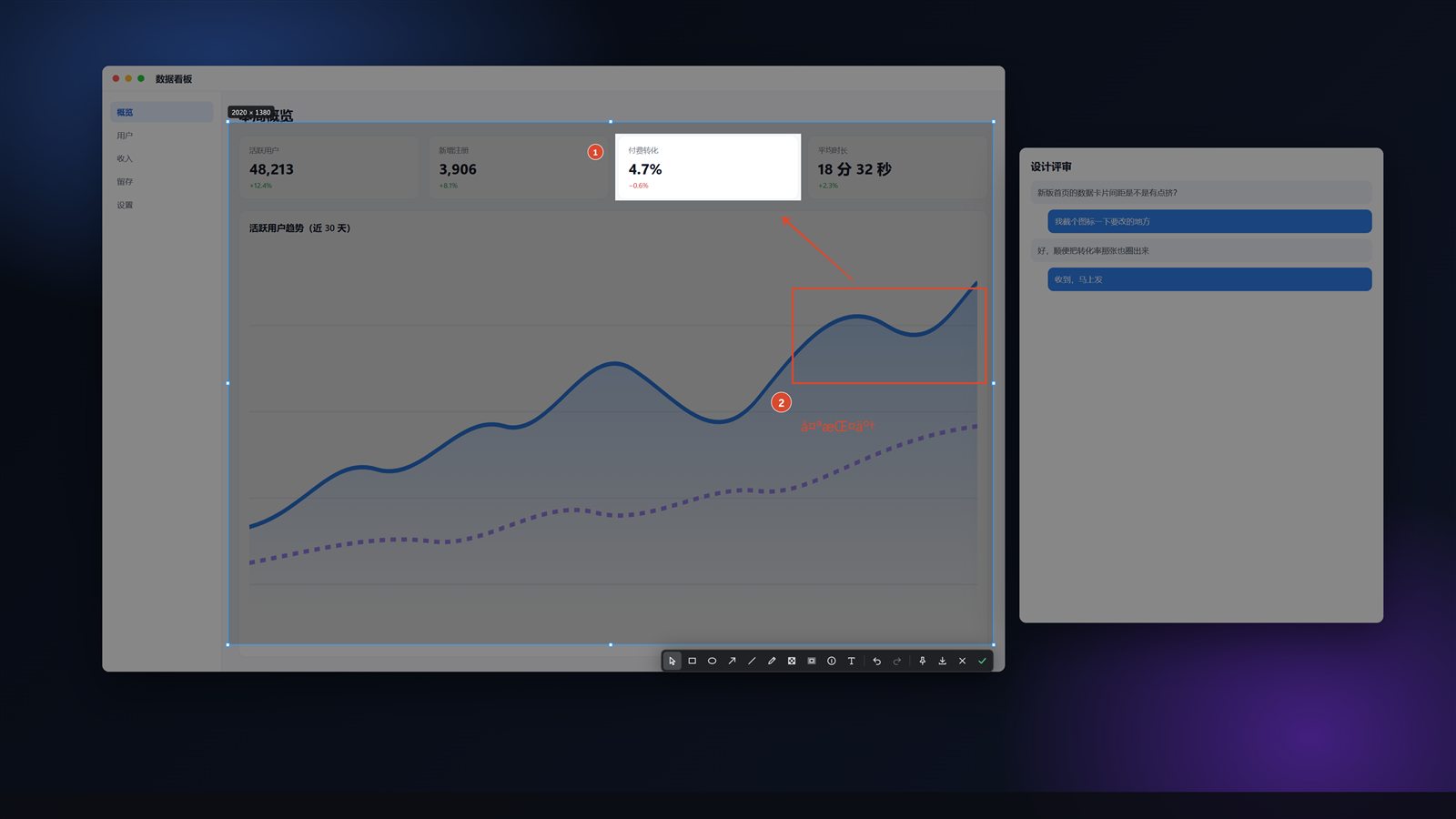
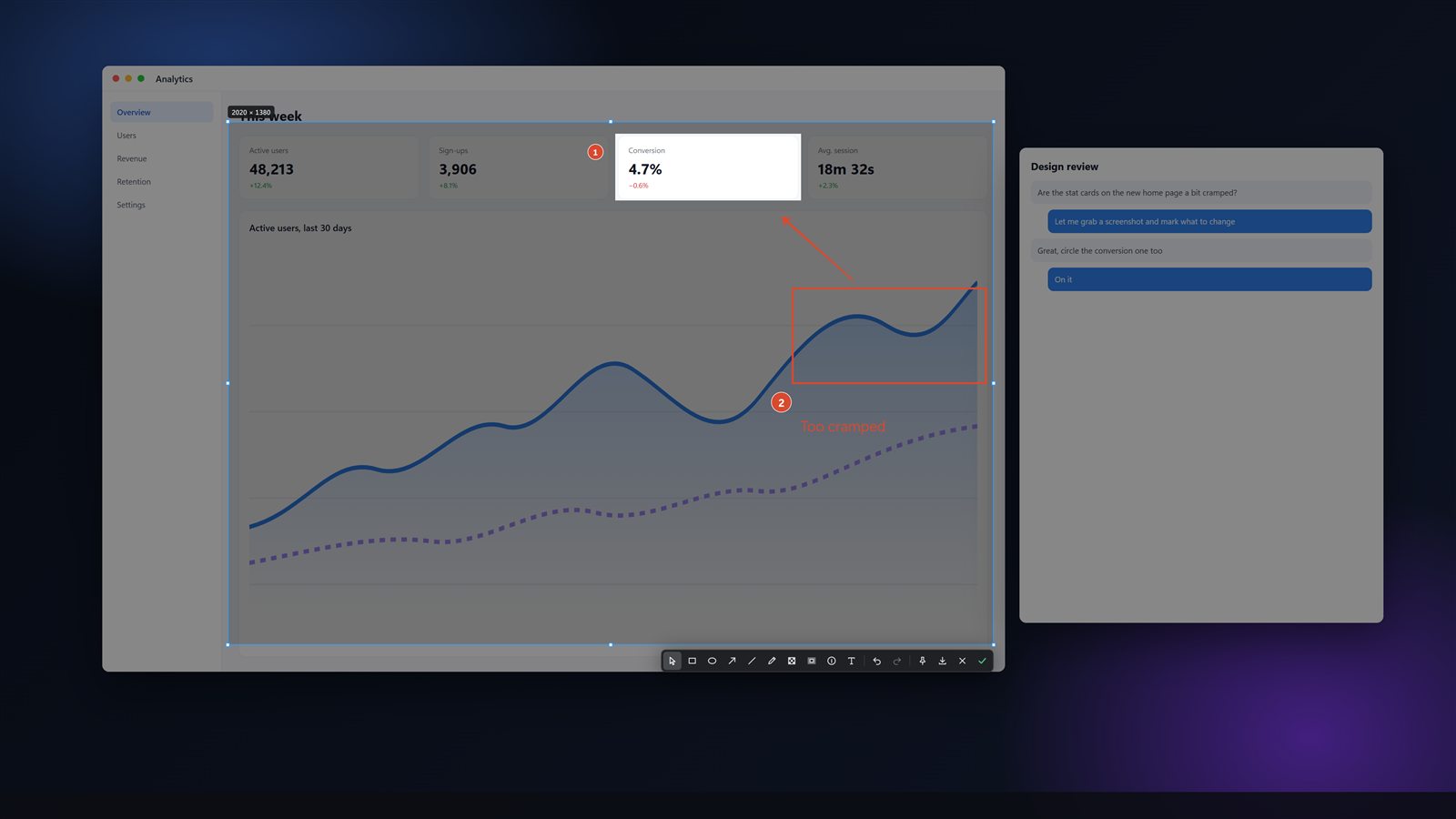
点一下选中窗口,拖动框选区域;矩形、椭圆、箭头、画笔、马赛克、序号、文字一应俱全,画完的标记还能再选中修改。截好的图可以钉在屏幕上:拖动、缩放、调透明度,双击即关。
PinShot is a screenshot tool for Windows, under 5 MB, that sits in the tray and costs little while it waits. Capturing is all but instant: it keeps the screen's latest picture ready, and the overlay appears about fifty milliseconds after the key. On HDR monitors the colours come out as you see them.
Click to take a window, drag for an area; rectangle, ellipse, arrow, pen, mosaic, numbered markers and text are all there, and every mark can be selected and changed afterwards. A capture can be pinned on top of everything: drag it, zoom it, fade it, double-click to close.